Platform · 2025
Tax Console
A client and tax-submission tracker for the tax practice of a Kuala Lumpur chartered accountancy firm. It covers the full set of LHDN filings (CP204, CP500, Form C, Form E, Form B, Form P) with deadlines, refund tracking, backlog management, and reporting, replacing spreadsheet workflows.
- active tax clients
- 264
- LHDN filing types
- 6
- user roles
- 4
- Role
- Tech lead, team of one or two
- Built at
- Amphibia Digital
- Client
- Chartered accountancy firm, Kuala Lumpur
- Users
- Tax managers, staff
- Stack
- Next.js
- React
- Convex
- TypeScript
- Tailwind CSS
- Docker
Overview
A Malaysian tax practice handles hundreds of clients across different taxpayer types, each with its own filings, basis periods, and LHDN deadlines, and the firm was tracking it all in spreadsheets. Tax Console turns that into structured, per-client records. Every submission has a status, a person in charge, a timeline, and a paper trail.
It shares its foundation with Audit Tracker (Next.js on a reactive Convex backend) and can run on Convex Cloud or fully self-hosted in Docker. Managers see the whole practice, admins can bulk-reassign a departing staff member's clients, and employees see only their own and unassigned clients.
Related:Audit Tracker
What I built
- One module per filing: CP204 estimates with CP204A revisions, Form C, Form B (individual), Form P (partnership), Form E, and CP500.
- Client records with special basis periods and an auto-calculator for newly incorporated or changed accounting periods.
- Refund tracking with follow-ups and receipts, plus document uploads per submission.
- Bulk Excel upload for Form C and client lists; bulk reassignment when staff change.
- Dashboards by taxpayer type and portfolio group, fees by person in charge, a reports overview, and a custom report builder.
- Backlog management, configurable job statuses, hourly-rate history, and a role-scoped employee view.
Screens
30 captioned views. Select any to enlarge.
Dashboards & clients
6 views
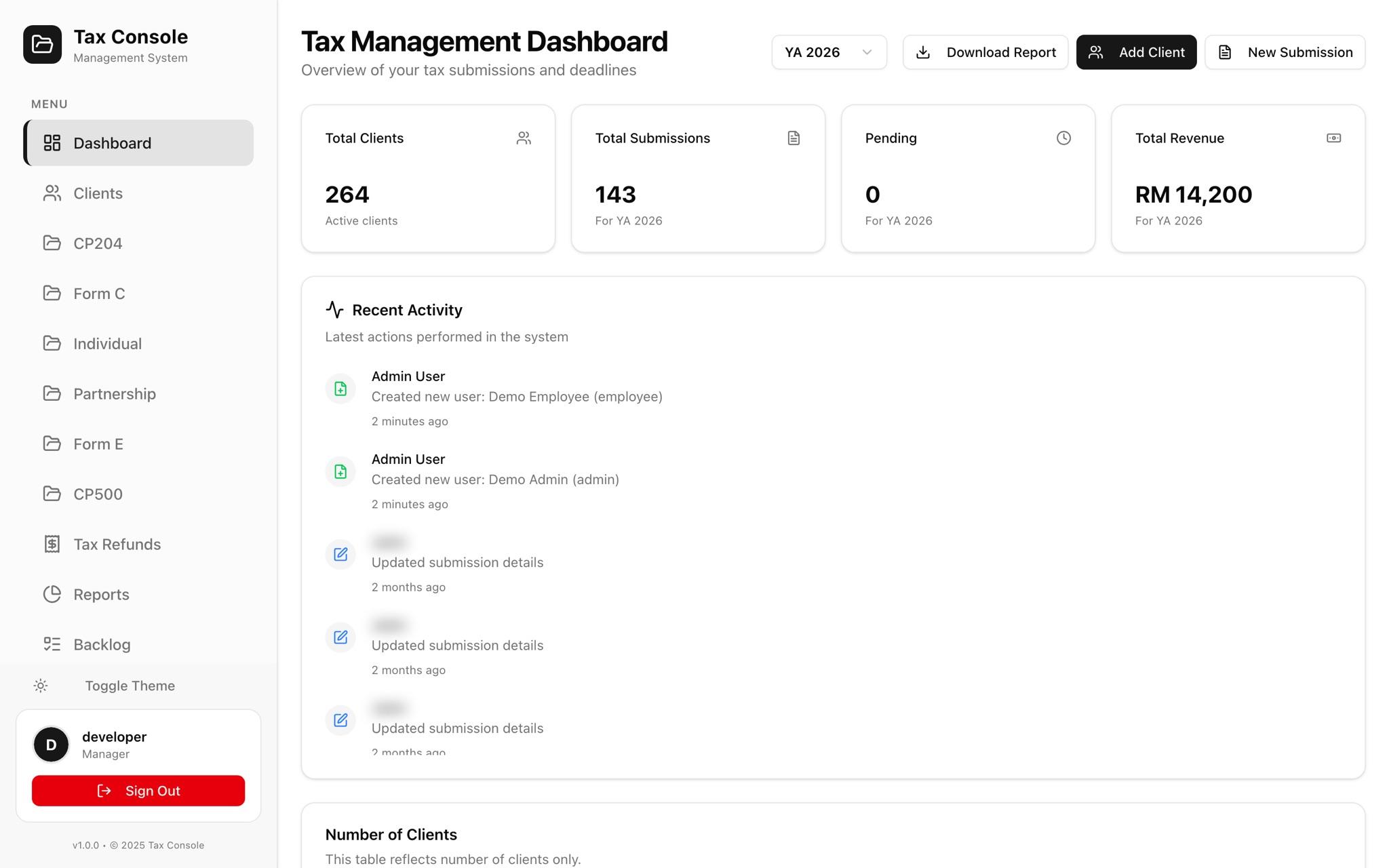
01Tax dashboard
Clients, submissions, pending work, and revenue for the selected year of assessment, with recent activity.
02Client analysis
Clients by taxpayer type and portfolio group, and companies by financial year-end month.
03Fees by group and PIC
Fees by taxpayer type, group, and person in charge, including CP204A and CP502 revision fees.
04Clients
Every client with category, financial year-end, and backlog flags; filter by PIC, category, FYE, and status.
05Client details
Basis period, deadline, category, TIN and SSM numbers, tax agent, and the client's submissions.
06Basis period auto-calculator
Works out special basis periods for newly incorporated entities and changed accounting periods.
LHDN filings
12 views
07CP204 clients
Pick a client to see their tax-estimate submissions.
08CP204 submissions
Year-by-year CP204 estimates with status, PIC, and last update.
09CP204 detail
Submission status, year of assessment, and the CP204 timeline.
10CP204A revisions
6th, 9th, and 11th month revisions with revised amounts and dates.
11New CP204 submission
Estimate, reminder, and IRB submission dates in one form.
12Form C clients
Corporate tax returns by client, year of assessment, and year end.
13Bulk Form C upload
Import a year's Form C records from Excel, matched to clients by C number.
14Form C: refund tracking
Workflow tracking plus refund follow-ups, receipts, and balance to chase.
15Form B: individual
Individual returns with refund tracking and financials.
16Form P: partnership
Partnership returns with their own workflow.
17Form E: employer
Employer returns with uploaded supporting documents.
18CP500
Instalment schemes tracked per client.
Refunds, reports & backlog
6 views
19Tax refunds
Every outstanding refund across clients in one place.
20Reports overview
Practice-wide submission and fee reporting.
21Status & top clients
Submissions by status and the highest-fee clients.
22Custom report
Build a report from any filing type and its columns.
23Backlog clients
Clients with overdue years of assessment.
24Backlog entry
One backlog year, with its status and notes.
Roles & administration
6 views
25Sign-in
Staff sign-in.
26User management
Superadmin, admin, manager, and employee accounts.
27Job status configuration
Submission statuses are configured by the practice, so the firm can change its workflow without a code change.
28Bulk reassign
Move all of a departing staff member's clients to someone else in one step.
29Employee view
Employees see only their own and unassigned clients.
30Dark mode
Every screen has a dark theme.
Open to senior / lead roles · remote or relocating to Singapore
Hiring for a senior or lead role?
I take systems from requirements to production: mobile, web, backend, and AI agents. Tell me about the problem and I will reply within a day on weekdays.